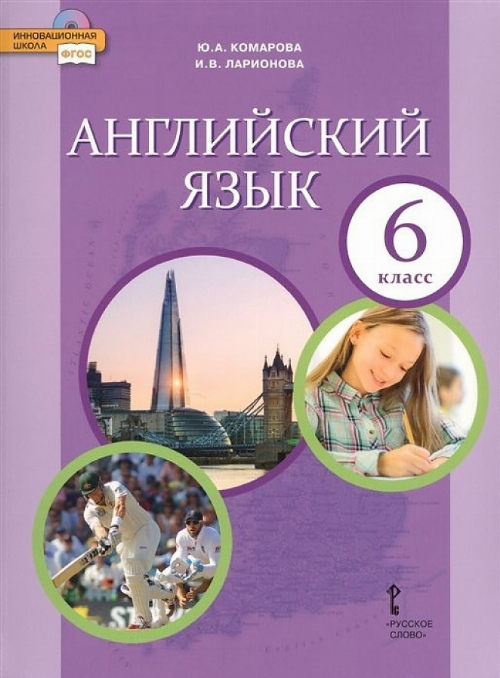
Стр.33 Рабочая тетрадь ГДЗ Комарова Ларионова 6 класс
Match the sentence halves.
1. Can you give
2. I don’t
3. First connect
4. Remember
5. Don’t forget to
6. Is
a) to disconnect when you finish.
b) click on the icon.
c) me a hand?
d) your camera to the computer.
e) that all?
f) know what to do.
Listen and circle the words or phrases that you hear.
1. Can I give you / you give me a hand?
2. I want to download this song / program.
3. Is that OK / all right?
4. Press / Don’t press the green button.
5. Thanks / Thank you, Jack!
6. Remember to / Don’t forget to turn on the speakers.
7. Then / Finally turn it off.
3a. Order the dialogue.
Clare: Yes, that’s it. Remember to disconnect your mobile when you finish.
Clare: Yes, what’s the problem?
Clare: Yes, don’t forget to click on the photos you want.
Mum: I want to download photos from my mobile onto my computer and I don’t know what to do.
Mum: Can you give me a hand?
Mum: Like this?
Mum: Great, thanks!
Mum: Is that all?
Clare: First connect your mobile to the USB socket then click on the ‘images’ file on the computer.
3b. Listen and check. Then write the dialogue.
Imagine your dad wants to put some songs onto his MP3 player from his computer. Write a similar dialogue to the one in exercise 3. Use these instructions.
1. Select the songs on the computer.
2. Connect your MP3 player to the computer.
3. Press ‘download’.
4. Disconnect your MP3 player from the computer.
1. Match the sentence halves:
1 – c, 2 – f, 3 – d, 4 – b, 5 – a, 6 – e
2. Circle the words or phrases that you hear:
- Can I give you a hand?
- I want to download this program.
- Is that all right?
- Press the green button.
- Thanks, Jack!
- Remember to turn on the speakers.
- Then turn it off.
3a. Order the dialogue:
- Mum: Can you give me a hand?
- Clare: Yes, what’s the problem?
- Mum: I want to download photos from my mobile onto my computer and I don’t know what to do.
- Clare: First connect your mobile to the USB socket then click on the ‘images’ file on the computer.
- Mum: Like this?
- Clare: Yes, that’s it. Remember to disconnect your mobile when you finish.
- Mum: Is that all?
- Clare: Yes, don’t forget to click on the photos you want.
- Mum: Great, thanks!
3b.
Mum: Can you give me a hand?
Clare: Yes, what’s the problem?
Mum: I want to download photos from my mobile onto my computer and I don’t know what to do.
Clare: First connect your mobile to the USB socket then click on the ‘images’ file on the computer.
Mum: Like this?
Clare: Yes, that’s it. Remember to disconnect your mobile when you finish.
Mum: Is that all?
Clare: Yes, don’t forget to click on the photos you want.
Mum: Great, thanks!
4.
Dad: Can you give me a hand?
You: Yes, of course. What’s the problem?
Dad: I want to put some songs from my computer onto my MP3 player. I don’t know what to do.
You: Oh, it’s easy. First connect your MP3 player to the computer.
Dad: OK. Then what?
You: Select the songs on the computer.
Dad: Right. What next?
You: Press ‘download’.
Dad: OK. Is that all?
You: Yes, disconnect your MP3 player from the computer.
Dad: That’s great. Thanks!